
ScreaM’s crosshair is as simple as it gets: a small cyan dot with a solid black outline and no lines at all. It suits a player who became famous as the "headshot machine". Below you can copy the ScreaM crosshair code, preview it on real map backgrounds and see every setting.
ScreaM Crosshair Code
0;s;1;P;c;5;o;1;d;1;f;0;0t;6;0l;0;0a;1;0f;0;1b;0;S;c;6;s;0.949;o;1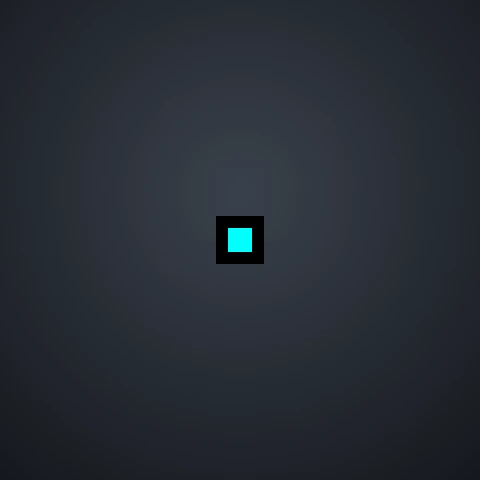
Copy the code above, or use the builder below. It opens with ScreaM’s crosshair already loaded, so you can check it on different maps, click Copy code, or adjust it before importing.
Edit an existing code
Preview is scaled for 1920×1080. Pick a map below to check visibility; “Real size” shows roughly how big it looks in game. Movement and firing error aren’t animated but are saved in the code.
ScreaM Crosshair Settings
| Setting | Value |
|---|---|
| Color | Cyan |
| Outlines | On, opacity 1, thickness 1 |
| Center dot | On, thickness 2, opacity 1 |
| Inner lines | Length 0 (not visible) |
| Outer lines | Off |
| Fade crosshair with firing error | Off |
| Sniper scope | Custom center dot (saved in the code) |
The inner line thickness in the code is set to 6, but the length is 0, so no lines are drawn. What you see in game is only the dot and its outline.
Who Is ScreaM?
Adil "ScreaM" Benrlitom is a Belgian player known for his incredibly precise aim, first in Counter-Strike and later in VALORANT, where he played professionally for teams including Team Liquid and Karmine Corp. He now plays Counter-Strike 2 again. The crosshair on this page is the VALORANT crosshair listed for him on prosettings.net.
Why the ScreaM Crosshair Works
- Nothing covers the target: without lines, the only thing on screen is a tiny point, so the enemy’s head is never hidden behind your crosshair.
- Cyan with a black outline: the outline keeps the dot visible on bright walls, and cyan stands out on darker maps.
- Static by design: a dot never spreads, so it always shows exactly where your first bullet goes.
A dot gives no help with recoil, so it suits players who aim for the first shot and control spray by feel. Only 17% of the pros in our pro crosshair statistics use a dot on its own. If a dot feels too small, try one of our Valorant dot crosshairs with a bigger thickness.
How to Import the ScreaM Crosshair
- Copy the ScreaM crosshair code above.
- Open VALORANT and go to Settings → Crosshair.
- Click the Import Profile Code icon next to your crosshair profiles.
- Paste the code and click Import.
Need screenshots? Follow our guide on how to copy a Valorant crosshair.
More Pro Crosshairs
Want to compare? Copy the TenZ crosshair code, browse codes from 30 players on our Valorant pro crosshairs page, or see what most pros have in common in our pro crosshair statistics.
Frequently Asked Questions
What is ScreaM’s crosshair code?
ScreaM’s crosshair code is 0;s;1;P;c;5;o;1;d;1;f;0;0t;6;0l;0;0a;1;0f;0;1b;0;S;c;6;s;0.949;o;1. Paste it into Settings → Crosshair → Import Profile Code in VALORANT.
Does ScreaM use a dot crosshair?
Yes. His crosshair is a single cyan dot with a black outline. The inner and outer lines are not visible.
What color is ScreaM’s crosshair?
Cyan, one of the preset crosshair colors in VALORANT, with a fully opaque black outline.
Does ScreaM still play VALORANT?
ScreaM has returned to Counter-Strike 2. This page shows the VALORANT crosshair listed for him, and we will update it if a newer VALORANT setup appears.
Disclaimer: This website is independently operated and is not affiliated with or endorsed by Riot Games or ScreaM. VALORANT and all associated trademarks and intellectual property are owned by Riot Games, Inc.